Extension for Chrome and Edge
An AI button on every photo you browse.
Hover a photo on instagram.com, click the blue AI button, and VeloPixels edits it with Venice AI and saves the result to your Downloads folder.
One-time purchase · Works in Chrome and Edge · Requires your own Venice API key
How it works
How it works in three steps
- 1
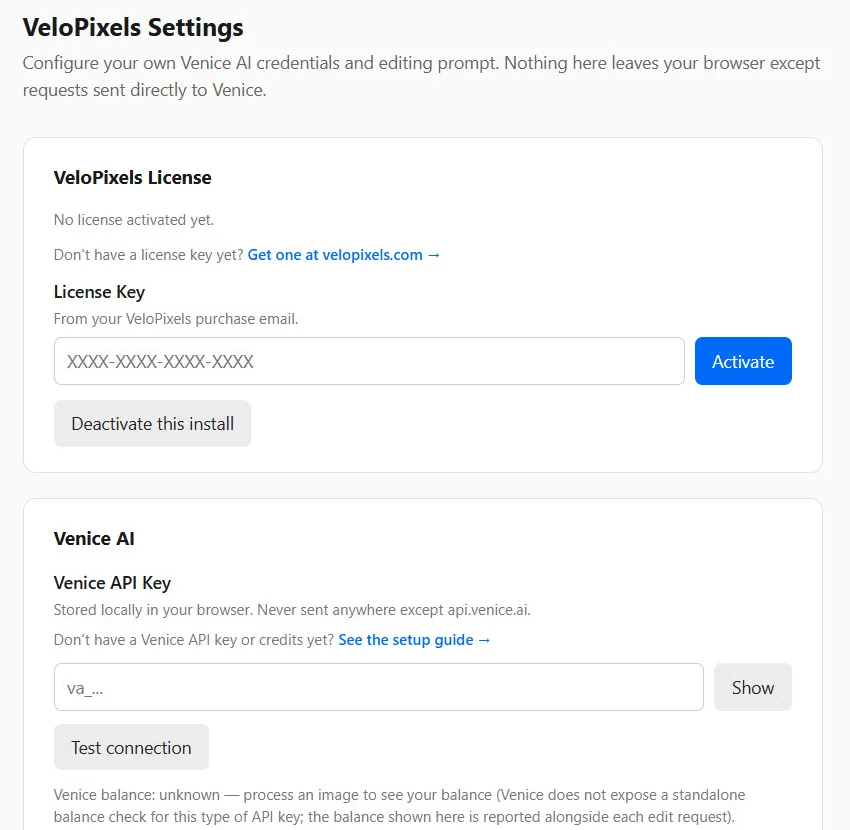
Set it up once
Paste your license key and Venice API key, choose a model and write your prompt.
- 2
Hover and click AI
The AI button appears on photos as you browse. Click it on as many as you like.
- 3
Find it in Downloads
Each edited photo is saved automatically in a VeloPixels folder.
See it in action
One click, one sentence
Write the edit once in Settings, then click AI on any photo. Try it here: click the blue AI button on the photo.


Watch it work
A real edit on Instagram, start to finish
Pick a saved prompt, click AI on a photo, and the edited copy lands in your Downloads folder. No uploads to us, no extra tabs.
Installing takes about two minutes. Watch the install video →
What's included
Everything you need, nothing you don't
One-click edits
An AI button appears on photos when you hover.
Queue several photos
Click AI on many photos. They are processed one at a time.
Live status
A small badge shows queued, processing, done or failed.
Saved prompts
Save the prompts you use most and switch in a second.
Choose your model
Live list of Venice edit models with the price per edit.
Credit balance
See your remaining Venice balance after each edit.
Privacy and control
Simple settings, all in one place
Your license, Venice API key, model and prompts live on one settings page. Your key stays in your browser and is only sent to Venice.
- License activation and deactivation
- Test your Venice connection
- Pick a model with live pricing
- Safe mode, on by default
Good to know
- Edited photos are saved inside your Downloads folder (a browser restriction).
- Works in Google Chrome and Microsoft Edge on desktop. You install it from a zip with Load unpacked (install guide), not from the Chrome Web Store.
- Your Venice balance appears after your first edit.
- Only edit photos you have the right to use.
Two simple costs. No surprises.
You pay once for the app, and you pay Venice directly for the edits you make.
The app
$9.99
One-time, per app. Free updates.
Choose the Browser Extension or the Desktop App. Each is bought separately and works on 2 devices.
Venice AI credits
from $10
Paid to Venice directly. Credits never expire.
Edits start at about $0.04 each, depending on the model you choose. $10 covers up to about 250 edits on the lowest-priced models, or about 29 with GPT Image 2.
VeloPixels Extension
$9.99 USD · one-time
14-day refund policy · 1 license works on 2 devices · Download link in your email
FAQ